
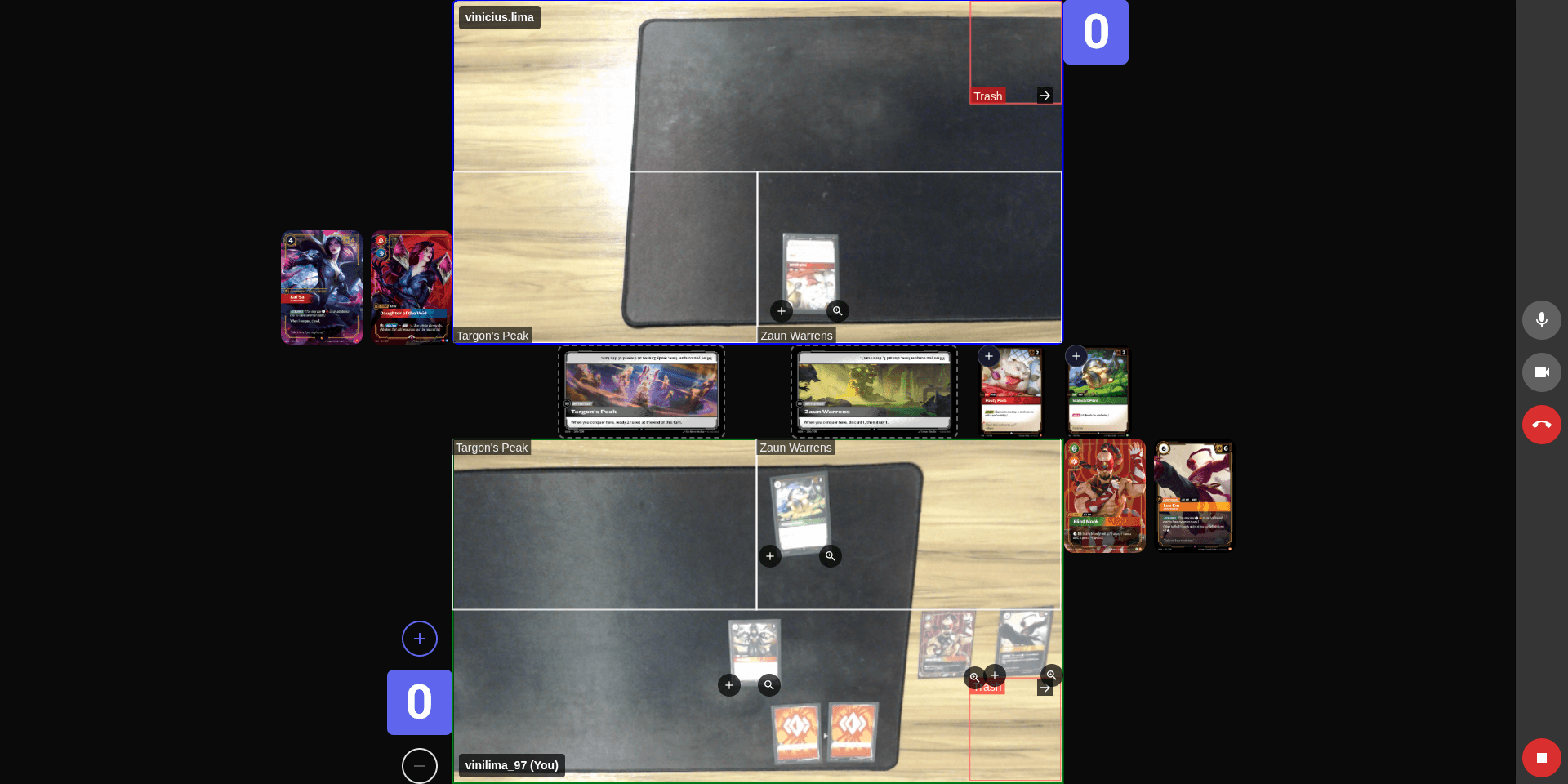
How it works
Start playing in less than a minute.
Create a room
Create a private room in seconds and generate a code to invite another player.
Invite a player
Share the room code or link so your opponent can join the match.
Set up the match
Select the players in the match and prepare the battlefield.
Start the game
Start the match and play in real time with video and an integrated interface.
Game features
Everything you need to play your matches with more control and clarity.
Might adjustment
Adjust card Might values directly during battle with intuitive controls.
Automatic identification
Place a card on the table to identify it instantly during the match.

Battlefield dispute
Manage and resolve battlefield disputes during the game with a dedicated visual interface.
Card zoom
Zoom any card to view details, artwork, and text without interrupting the match.
Frequently Asked Questions
Clear your doubts before you start playing.
Yes. You need to create an account to access RuneTable. The process is quick and free, and your account will allow you to create rooms, join matches, and access exclusive features.
RuneTable currently supports 1v1 matches, with two players in the battle. We are planning to add support for matches with more players in the future, but for now the focus is on providing the best possible experience for duels between two players.
Yes. RuneTable can be used for free to create rooms and play matches. Our goal is to help players compete in Riftbound matches with physical cards, even at a distance.
No. RuneTable runs directly in the browser.
Yes. RuneTable was built for matches with physical Riftbound cards. Each player uses their own deck while the interface helps organize and control the match.
Yes. The camera allows players to view each other's battlefield during the match.